Dashboards
The IT Audit Machine has several built-in report types designed to distill the large pool of compliance data into meaningful information across various aspects of your compliance efforts. Although each report type presents a different view of the available data, they overlap in some areas and also share some features designed to make interacting with the reports more efficient and intuitive.
In this section, we will discuss shared ITAM report features for manipulating report data, the different types of reports, and their purposes.
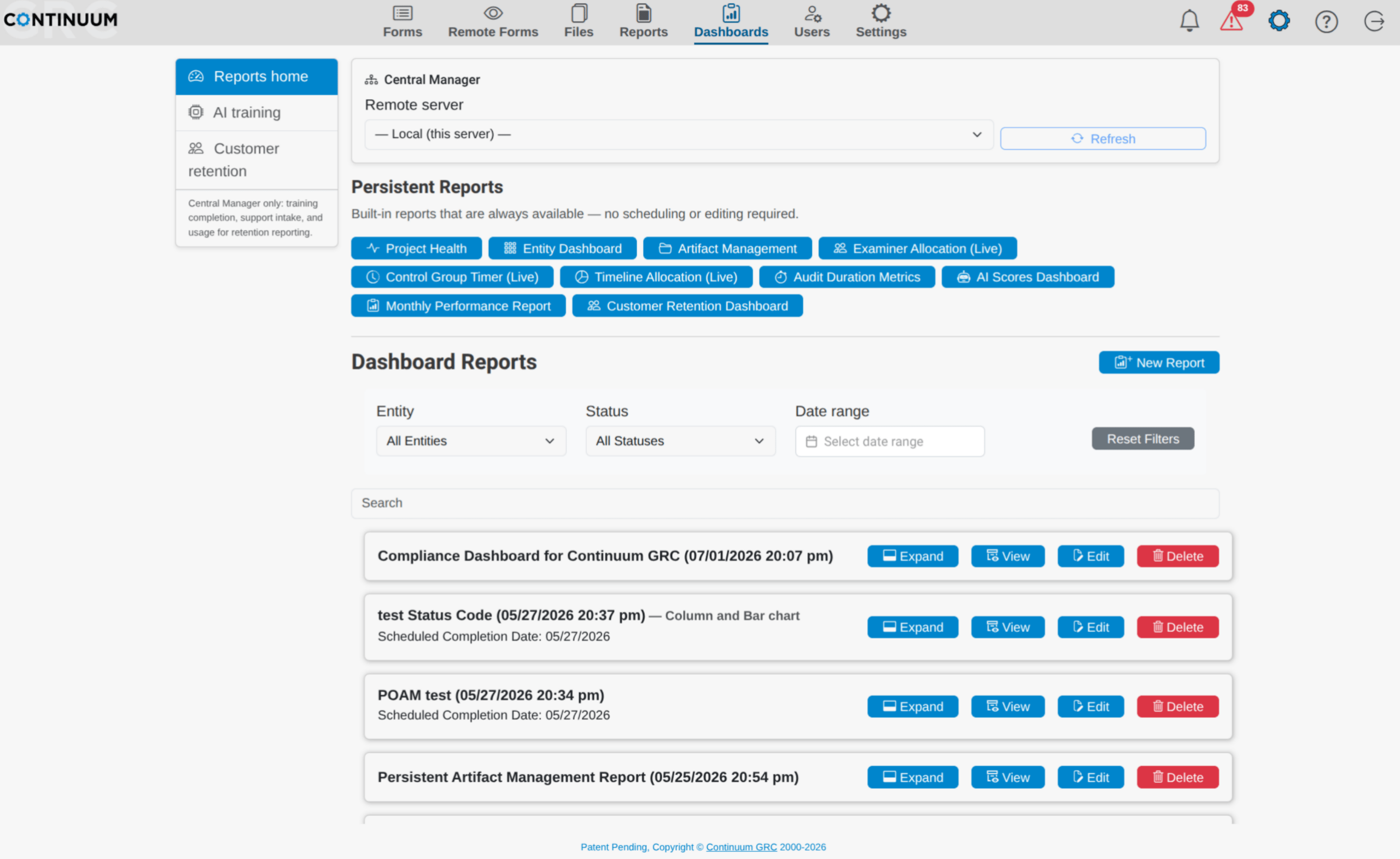
Creating Dashboard Reports
To start with, you can create a report by clicking on the New Report button.
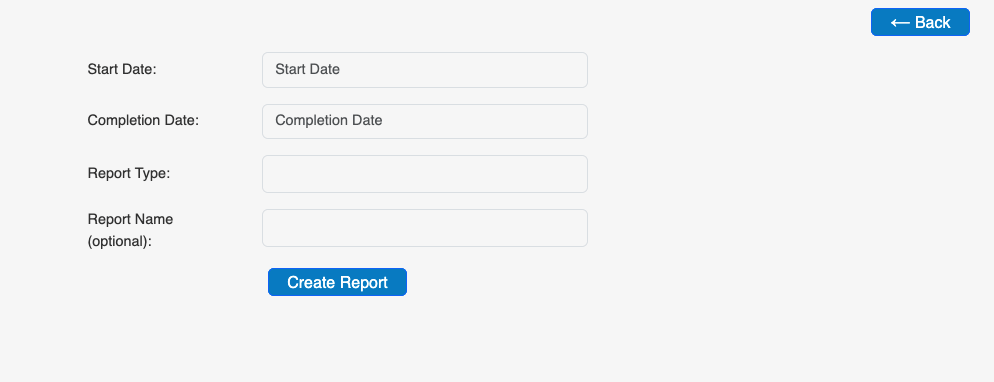
From here, you:
- Set a Start and Completion Date to cover the time span you want to track. You can also set these to the same date for a single-day report, or set a future completion date to continuously expand the report as each day passes.
- Select a Report Type out of the 14 types currently available. This list is always growing, so check your handbook as new reports become available.
- Depending on the report type, you’ll have the option to set other variables, such as the Entity and the forms to gather data from, the users to view, etc.
- You can also give the report a unique name for future reference.
Once finished, click the Create Report button, and the new dashboard will appear in your Dashboards list. Note that if the report covers a large volume of data, it may take some time to aggregate it.
Report Features
Several features shared across some Report Types can assist you when viewing the data in a Report.
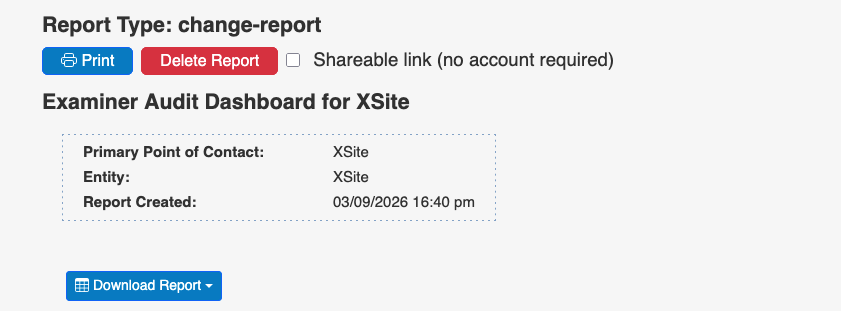
- Print: You can print a print-friendly version to your printer of choice or save it as a PDF.
- Delete Report: Remove this dashboard from your list of existing (or running) reports.
- Shareable Link: By clicking this checkbox, you can access a link to share via email or some other medium.
- Download Report: You can pull a digital copy of your report as a spreadsheet (XLSX) or a Comma-Separated Values (CSV) file.
Additionally, the header of any dashboard report contains the Point of Contact, Entity, and Creation Date and Time.
Report Header Summary
When you select a dashboard from your list, you can look at a summary of that dashboard by clicking the Expand button.

Here you can see the Report Name and Type, the Entity and Forms it is assigned to (if any), the scheduled start and end date, and the date it was created.
Ready to build your Roadmap to Risk Reduction?
Call 1-888-896-6207
Call 1-888-896-6207
Start Your Free 14-Day Trial
FedRAMP Authorized GRC Platform Featuring the World's First AI Auditor