Managing POA&M Reports
Plans of Action and Milestones (POA&M) are used in many different regulatory environments to document what is necessary to achieve or improve an organization’s compliance level.
POA&Ms are available in the IT Audit Machine as a Form type with some advanced automation.
Before the IT Audit Machine can generate POA&M reports, an Administrator must configure the form to use a template to generate the appropriate reports.
This guide section covers the steps to configure the POA&M reports in an ITAM instance and explains how an Administrator can interact with a POA&M form.
Associating the POA&M form with a Template
First, find and expand the Plan of Action and Milestones (POA&M) form in Form Manager, then click the Edit icon.

This opens the Form Builder tool.
On the right-hand side of the Form Builder, select the Form Properties tab in the toolbox. Select the Show More Options link at the bottom of the Form Properties.
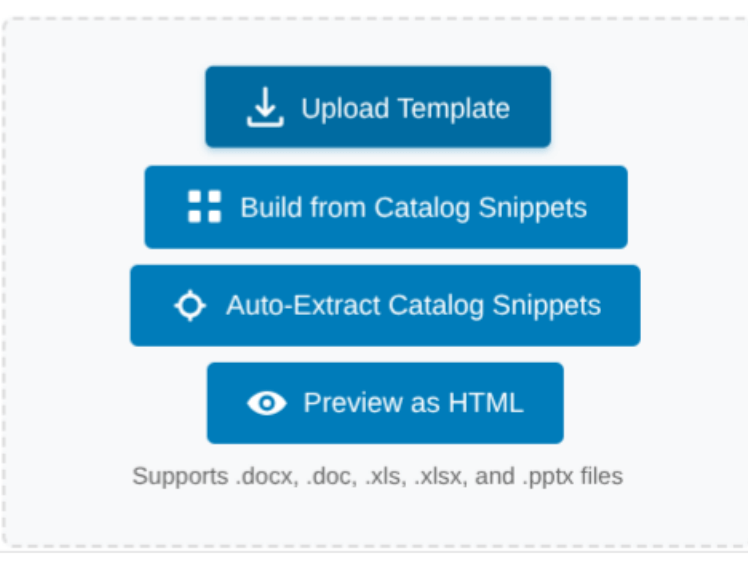
Scroll down through the additional options presented until you find the Template Options. Make sure only the Enable Uploading Templates option is selected. Upload the POA&M template you will use to generate the POA&Ms from the system by clicking Upload Files and selecting the template file from your system.
After you upload the template, click Save or Sync and Save to save the changes.
Adding Logic for Auto-Generating POA&M Reports
Next, in the Form Manager, expand the Plan of Action and Milestones (POA&M) form again and click the Logic icon.
This opens the Form Logic interface for the POA&M form. Find the option to enable Rules to generate POAM reports and check the box next to the text. This lets you choose where the POA&Ms go. Set entries where the POA&M Current Status field is Open to go to the OPEN tab, and entries where it is Closed to go to the CLOSED tab.
Once you set the logic for both the OPEN and CLOSED tabs, it should look similar.
Once you’ve defined both logic sets, click the Save Settings button to save the changes. ITAM is now ready to generate POA&M forms for your organization.
Working with POA&M forms
Adding POA&M Entries
Warning: POA&M entries added by an Admin will be separate from entries added by users and will create a separate POA&M report
As an Administrator, you may not add entries for the POA&M associated with a particular entity. Instead, Administrator-created entries will be included in a separate POA&M.
Navigate to the Form Manager interface and locate the Plan of Action and Milestones (POA&M) form. Expand the form and click Edit.
Continue entering your POA&M entries until you have completed the entries you desire to join.
Ready to build your Roadmap to Risk Reduction?
Call 1-888-896-6207
Call 1-888-896-6207
Start Your Free 14-Day Trial
FedRAMP Authorized GRC Platform Featuring the World's First AI Auditor