What is Color Coding
Color coding lets you set the color schemes for your local and remote ITAM instances. These codes are typically organized like a traffic system:
- Green for No Risk
- Yellow for Low Risk
- Orange for Medium Risk
- Red for High Risk
These designations aren’t set at the administration level. Central Managers (typically senior staff) can set these designations to specific target keywords based on user input (almost exclusively for multiple-choice fields like checkboxes, radio buttons, etc.). You can work with the team at Continuum GRC to help define specific keyword flags and their risk priority.
Color Coding and Global Form Logic
Global Form Logic, however, gives local administrators the ability to toggle specific logics and color codes in their ITAM instance.
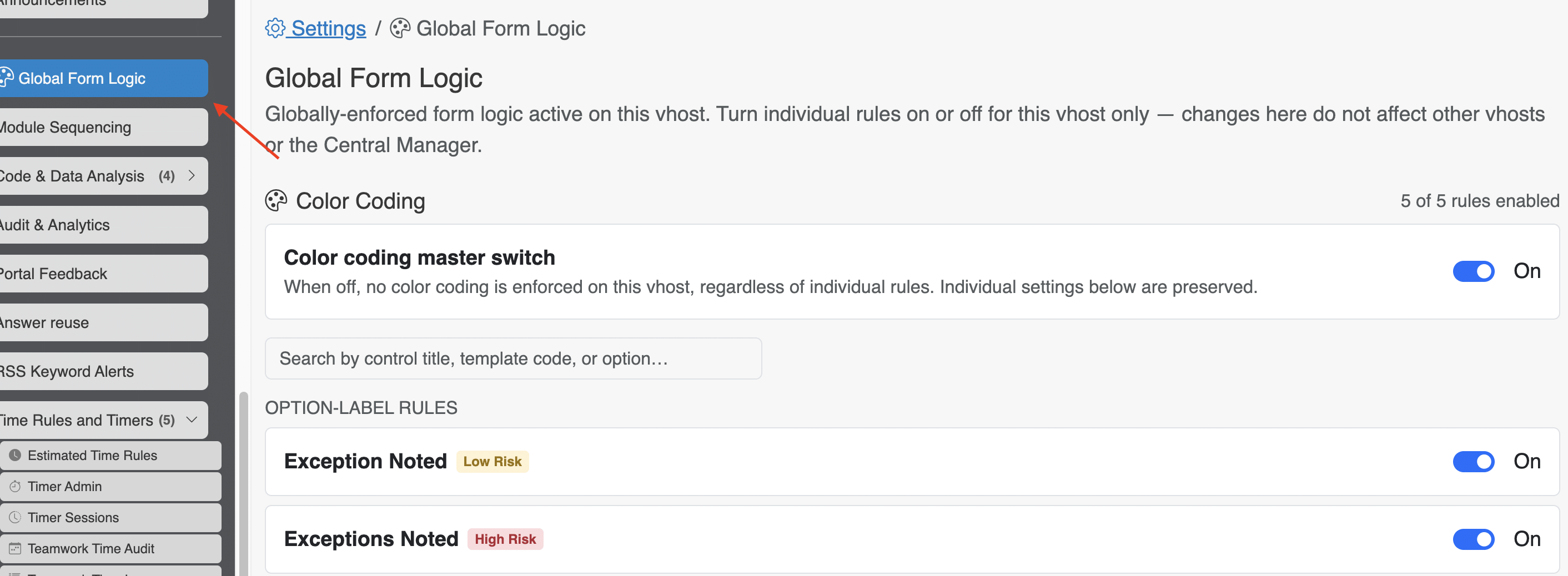
In the Global Form Logic tab, you’ll find A series of toggles related to these color-coding exceptions. From your Administrator’s portal, you can turn off color-coding across the ITAM server. Or, you can toggle color coding based on rules. These “Option-Label Rules” are linked to text in a form element that contains optinos (radio buttons, checkboxes, selects) and flags that control element with the corresponding color.
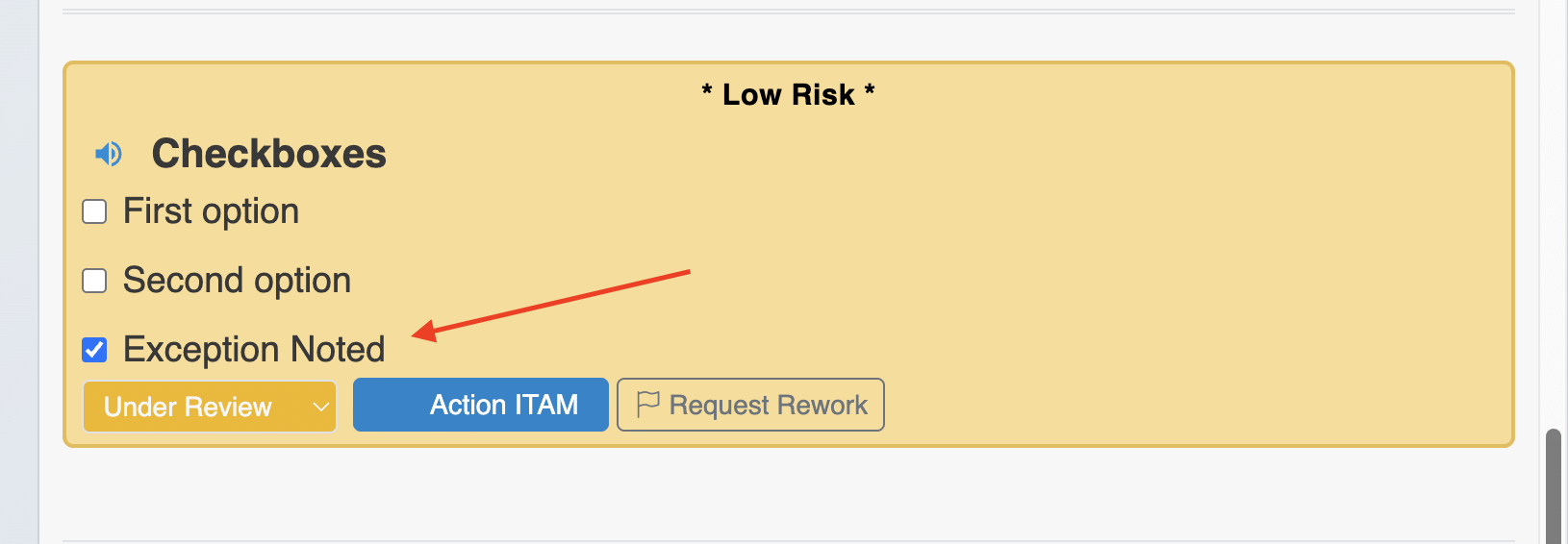
In this example, the phrase “Exception Noted” has been flagged as Low Risk. When that option is selected in a form field that includes that text, the field is turned yellow:
If you want additional rules to set different keys specific to your framework or industry, contact Continuum GRC to add those to your Global Form Logic screen.