Request Form Field Rework
Data doesn’t always match what’s needed when entered into a form, and Examiners must ensure data entry meets requirements or return work to Portal Users for correction.
The “Request Rework” button provides a more targeted approach to this workflow outside of the normal Action ITAM functionality. By requesting rework, Examiners can signal to users the importance of correcting a field and, in some cases, force them to address issues before moving on to other aspects of a form.
Near every form field is a set of buttons, and one of these buttons is the Request Rework button.
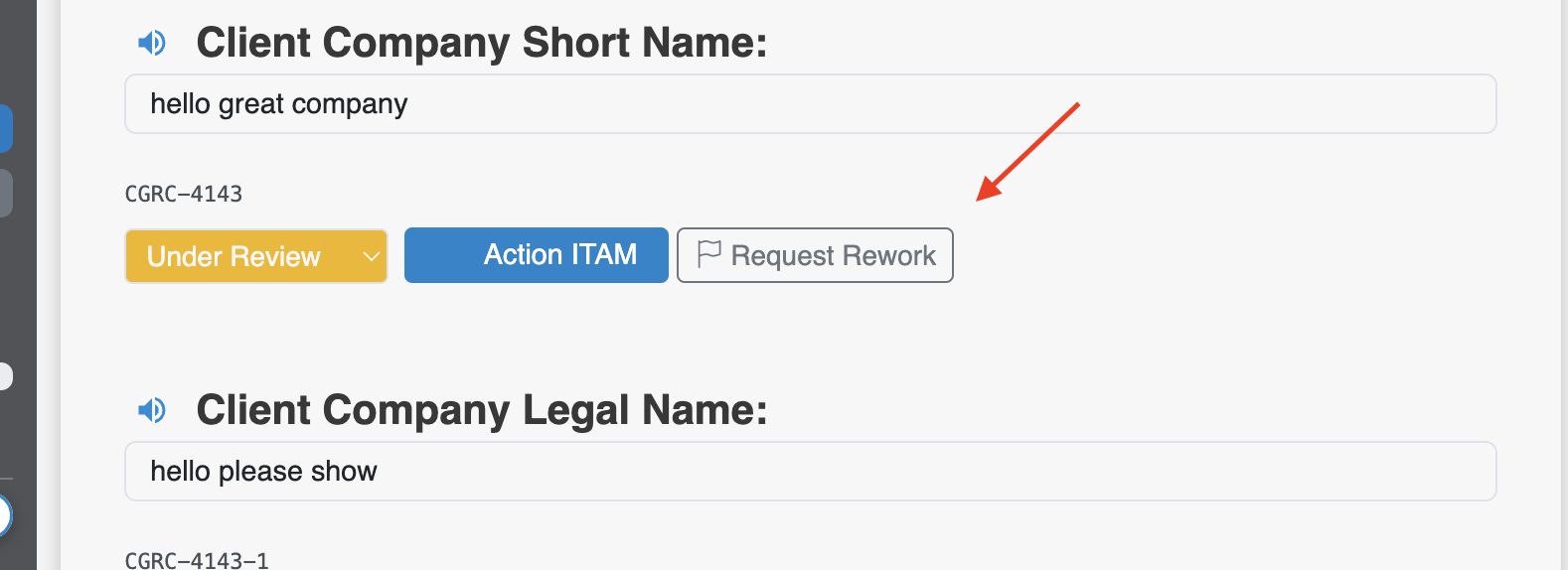
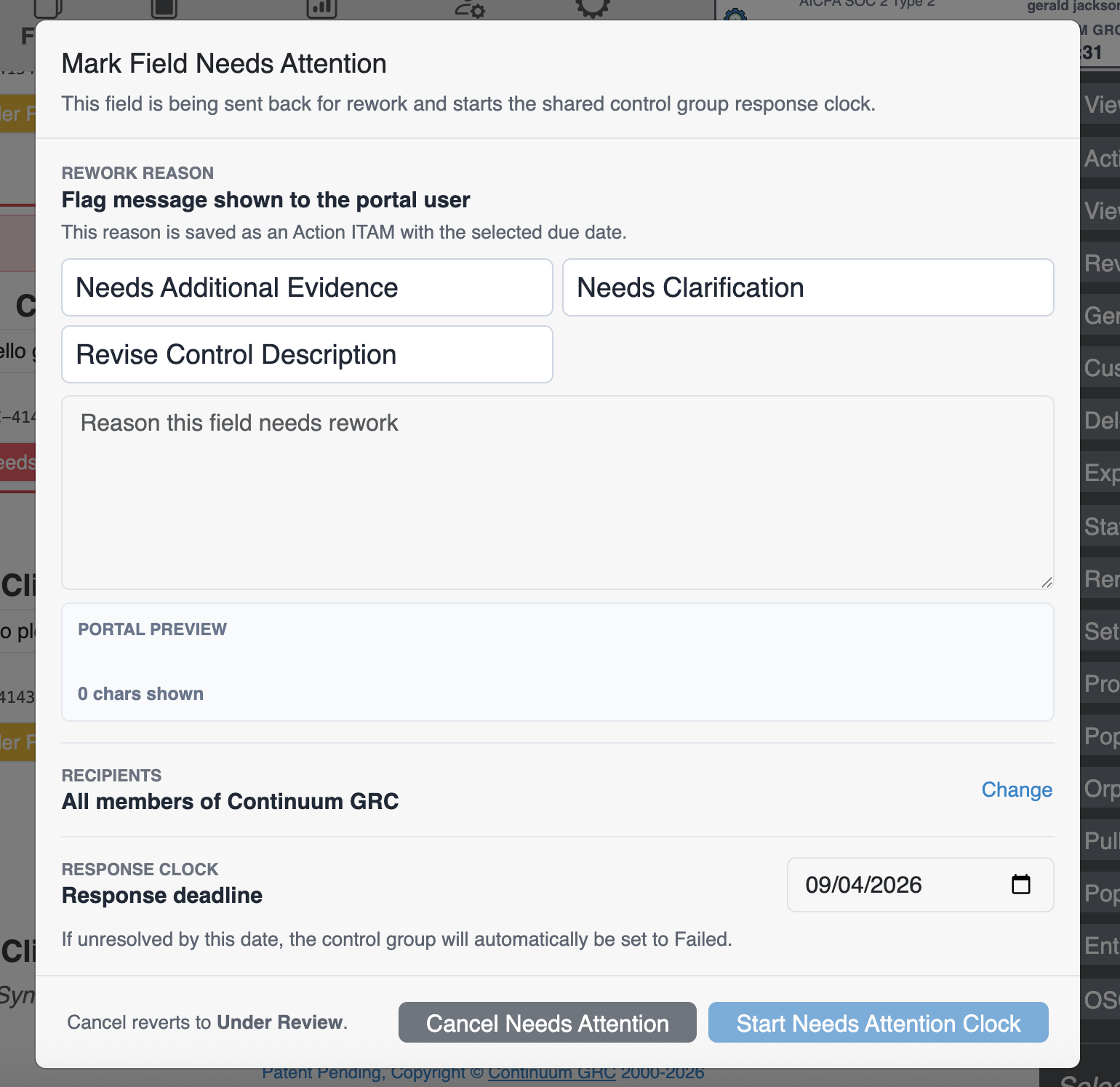
Clicking this button brings up a dialog window with options:
| Field | Function |
|---|---|
| Reason Flag | The reason flag is a quick way to signal what’s needed on a broader scale: Needs Additional Evidence signals that some documentation is missing. Needs Clarification is for times when the documented control or description does not provide sufficient information. Revise Control Description denotes when the control is described incorrectly or only partially. |
| Text Description and Preview | This text field will include the flag selected in the “Reason” section. You can also type additional information for the user. Beneath the text box is a preview of the alert the users will see. |
| Recipients | Set automatic recipients to either a selection of Entity users or all users within that Entity. |
| Response Clock | Set a completion timeframe, which can be the same day or a day in the future. If none of the users alerted to this issue rectify it within that timeframe, the control will be automatically marked as Failed. |
Once you’ve entered all the required information, a red box will appear around that control containing all relevant information:
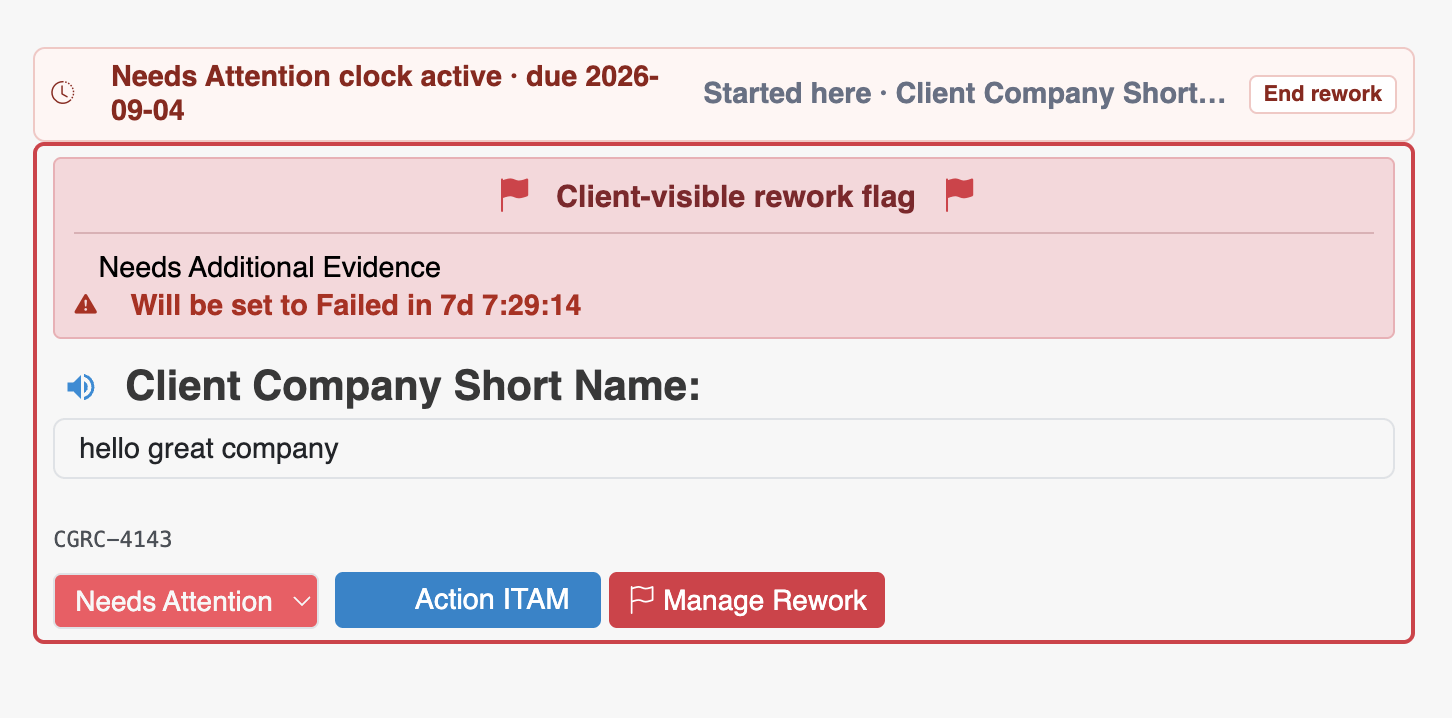
- The active Attention Clock,
- The fill scope of the timeline (“Will be set to Failed in xxx”),
- The machine code for the field.
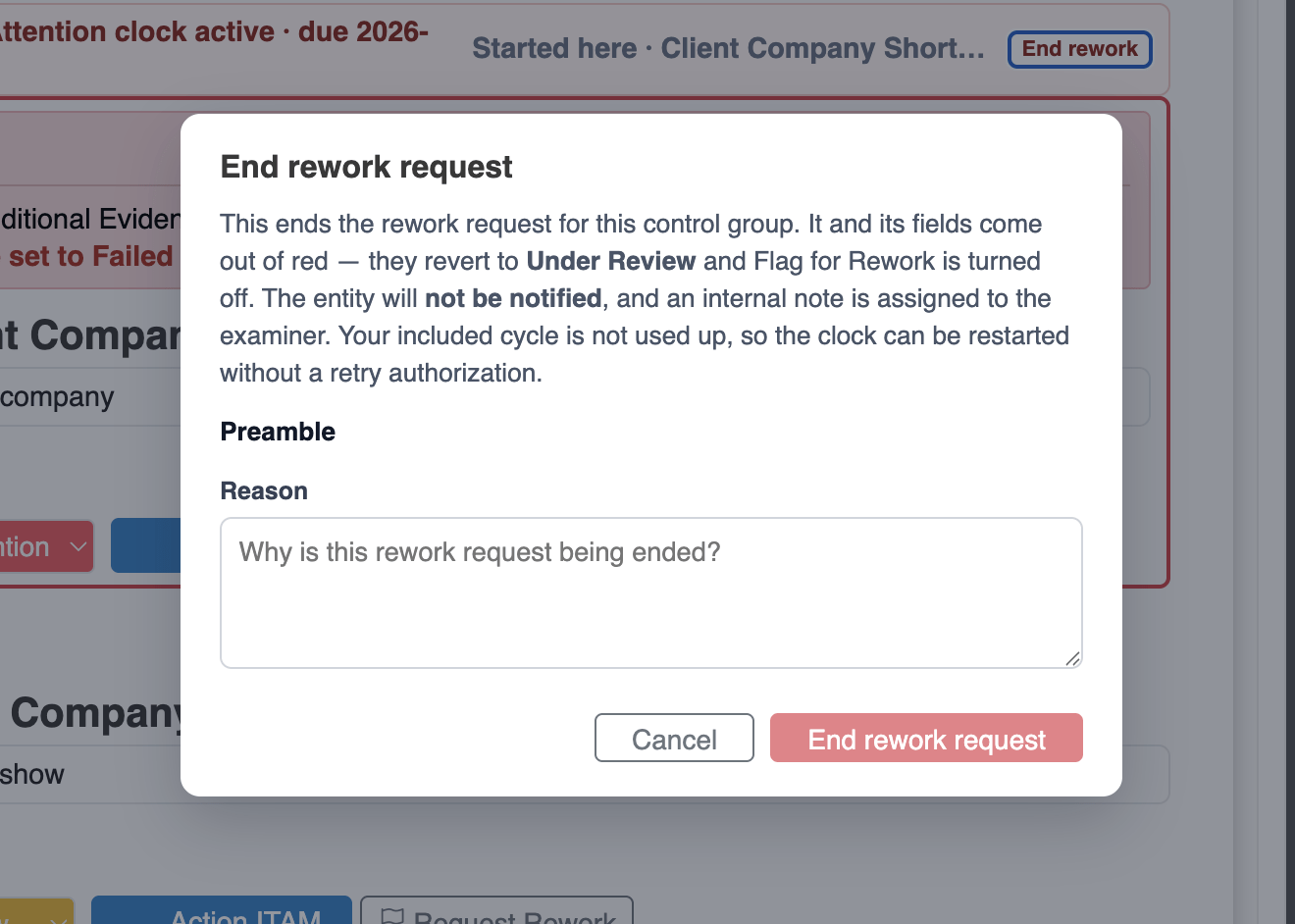
Clients can see this flag when browsing forms so they know the form’s status. A User, Examiner, or Administrator can end the rework clock by either clicking the End Rework button in the upper-right-hand corner of the box or through the Manage Rework button. They must, however, provide a reason for the change, and the control status is set to Under Review.