Form Status and Risk Totals
Examiners often focus on two overarching compliance metrics: completing required forms and the risk associated with the answers (or non-answers) to those questions.
The Form Status and Risk dashboard provides a high-level overview of these criteria across all forms within an entity:
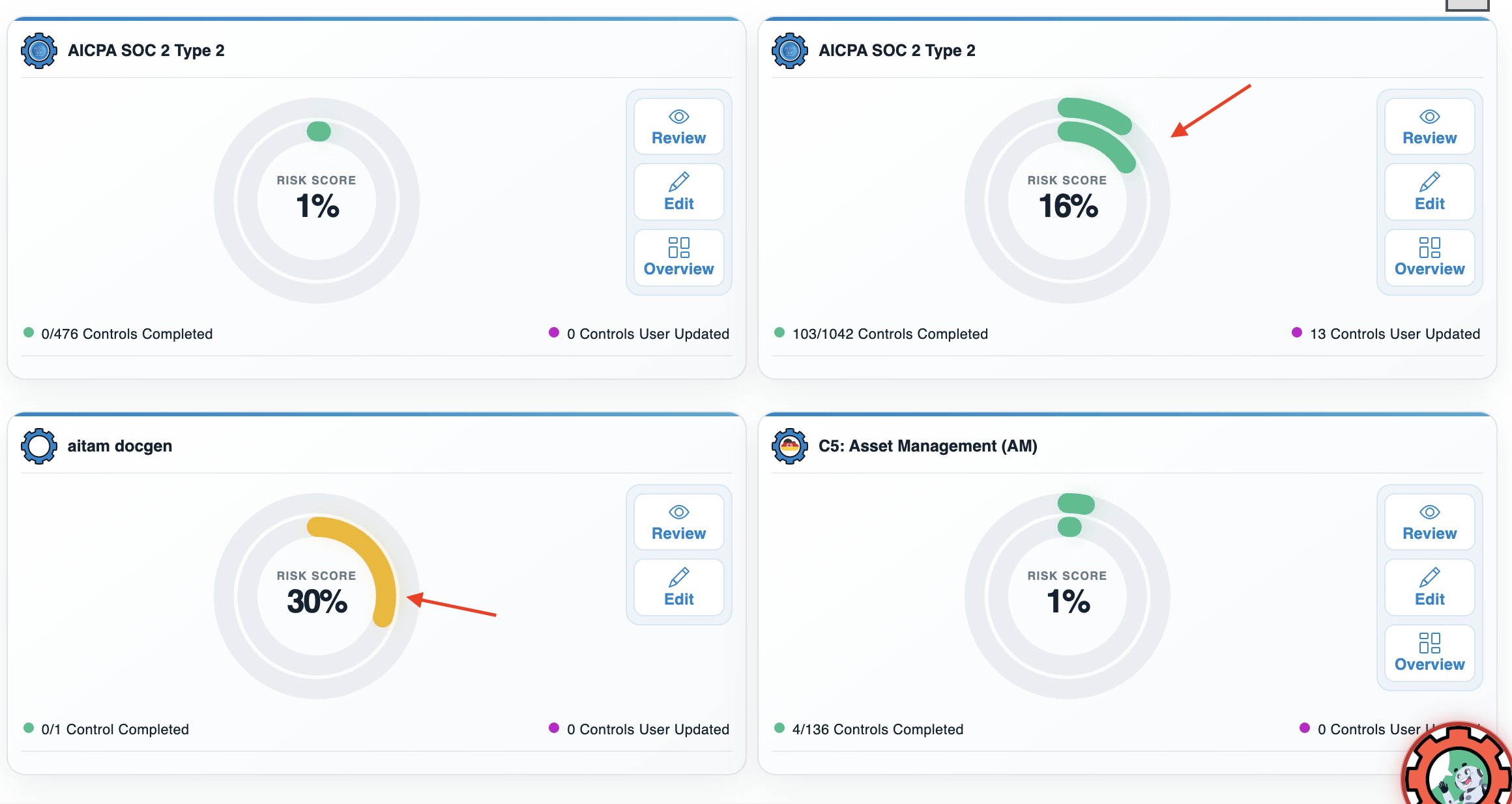
- The outer circle is the Completion status. This corresponds to the number of controls completed within a given form. For example, in the lower-right-hand quadrant of the image above, you’ll see that 4 out of 136 controls have been documented. The outer circle reflects this with a small green bar marking this proportional completion.
- The inner circle is the Risk Score. This represents any risk that’s associated with the answers provided to the control form fields (determined by the form itself, either as part of the template or during the Form Builder stage).
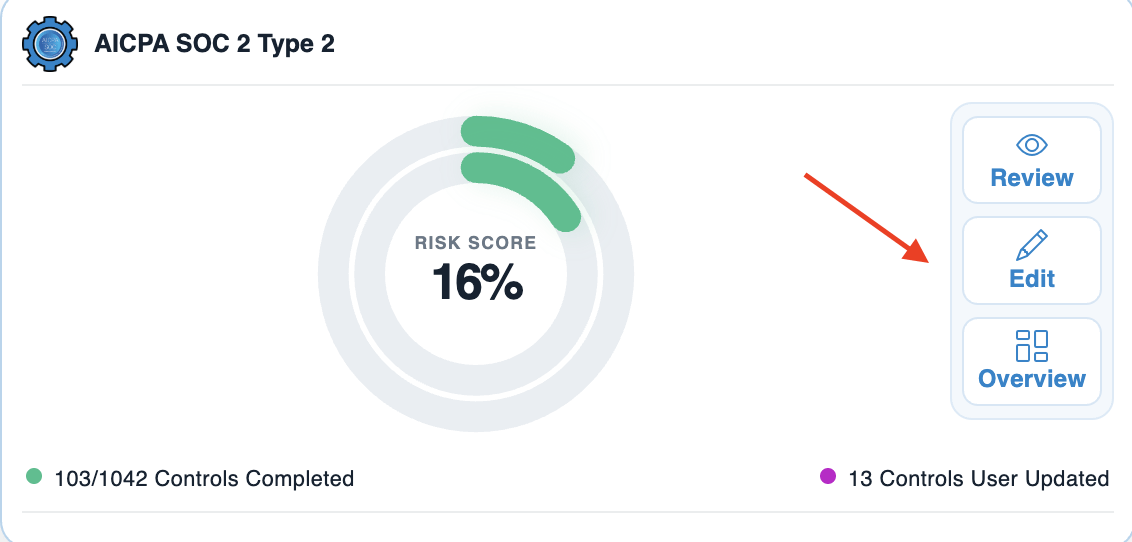
Likewise, each card in the dashboard has either 2 or three of the following options:
| Option | Function |
|---|---|
| Review | Review takes you directly to that form and controls while in Review Mode. |
| Edit | Edit takes you directly to that form and controls while in Edit Mode. |
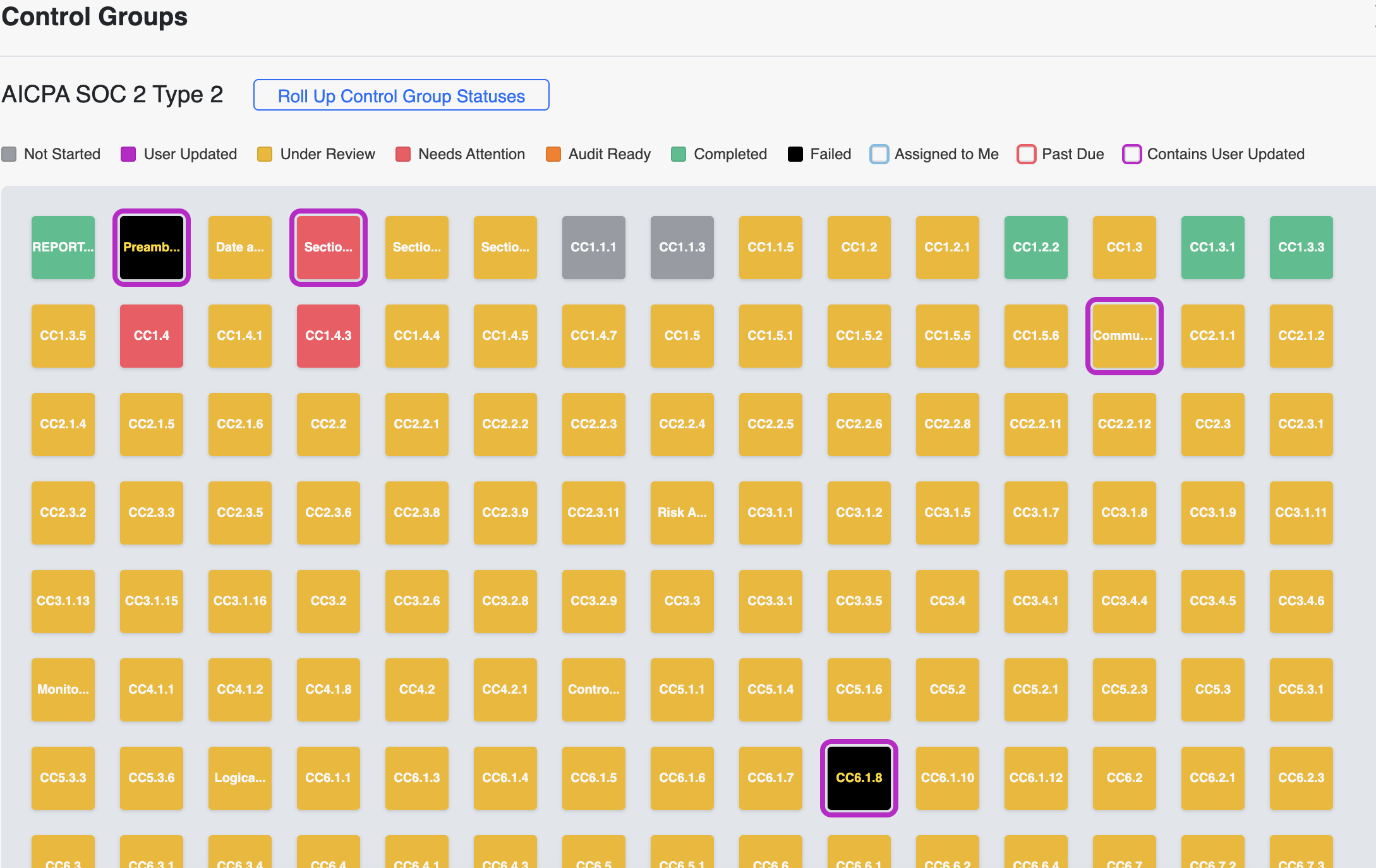
| Overview | Overview opens a pop-up heatmap showing the status of all controls in the selected form. |