Integrate Continuum GRC ITAM with Teamwork
Teamwork is a robust collaboration platform that many companies use to support ongoing work across teams and projects. One of ITAM’s more comprehensive integrations is with the Teamwork platform, and as such, several core features are integrated into that suite of tools.
ITAM Administrators can integrate their instance with Teamwork in the Settings page.
Teamwork Settings
To get started with Teamwork integration, you’ll need to get your API token from your Teamwork Instance.
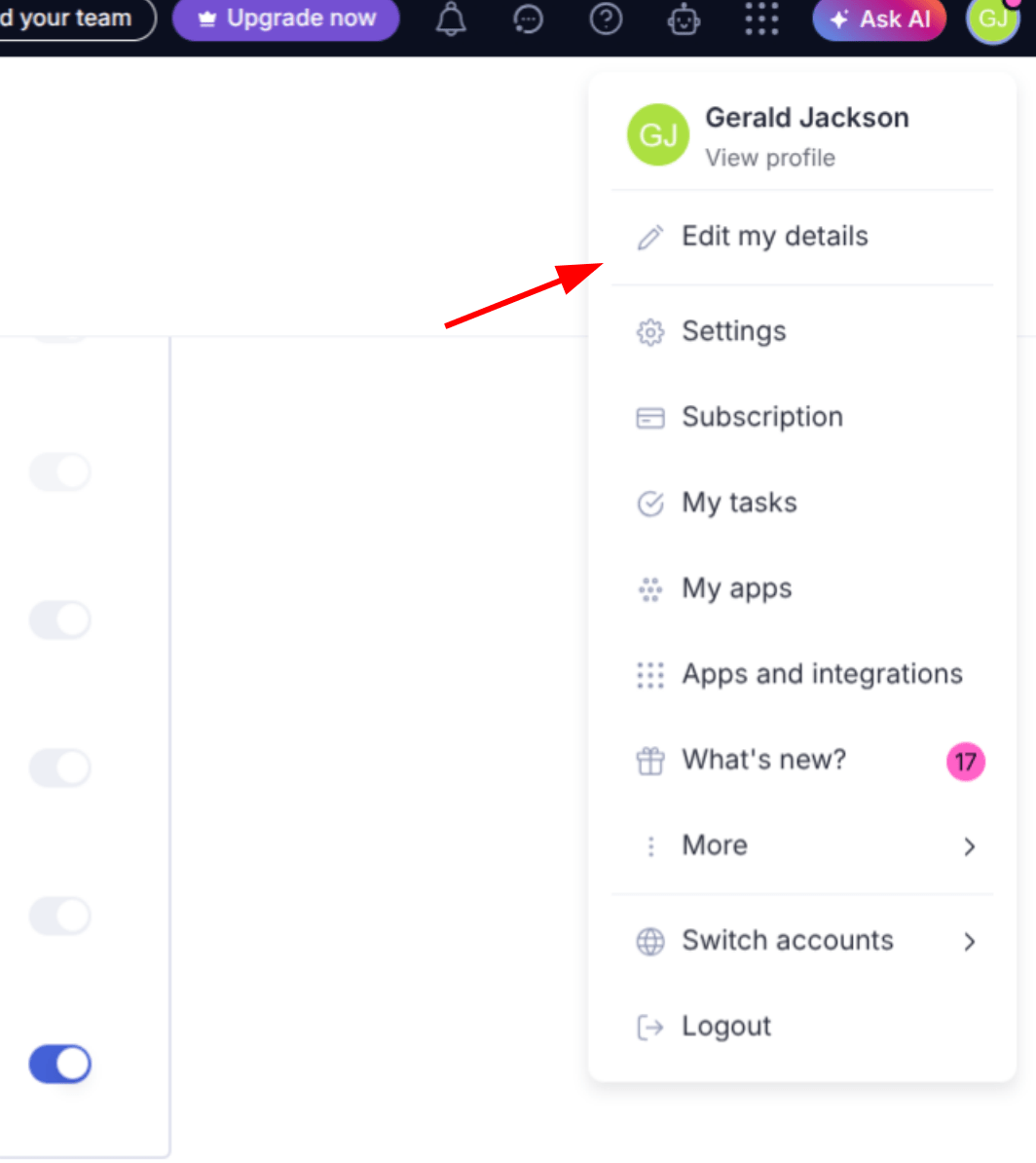
- Click your initials in the upper-right-hand corner of the screen, then click on Edit my details.
- Click API & Mobile
- Under Your API Token, click Get API Token. If you haven’t enabled API access, you’ll be asked to agree to their API terms and conditions.
- Copy the token you are given.
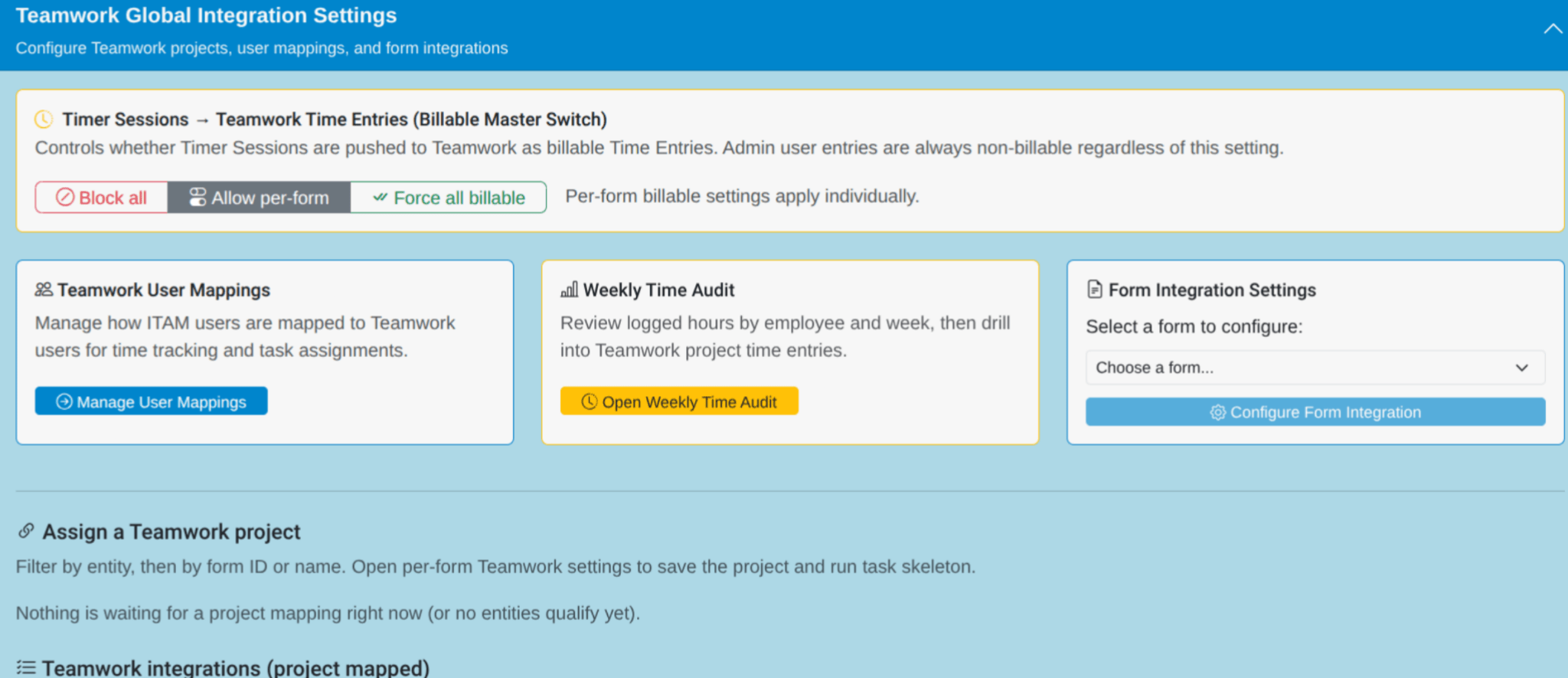
With your Teamwork API token in hand, navigate to your Settings Page. Click on the Integrations tab, then click on Teamwork Global Integration Settings.
Scroll to the bottom of the Teamwork section until you land on the Global Teamwork Settings. Put your Teamwork URL in the associated text box, and your token in the API Key text box.
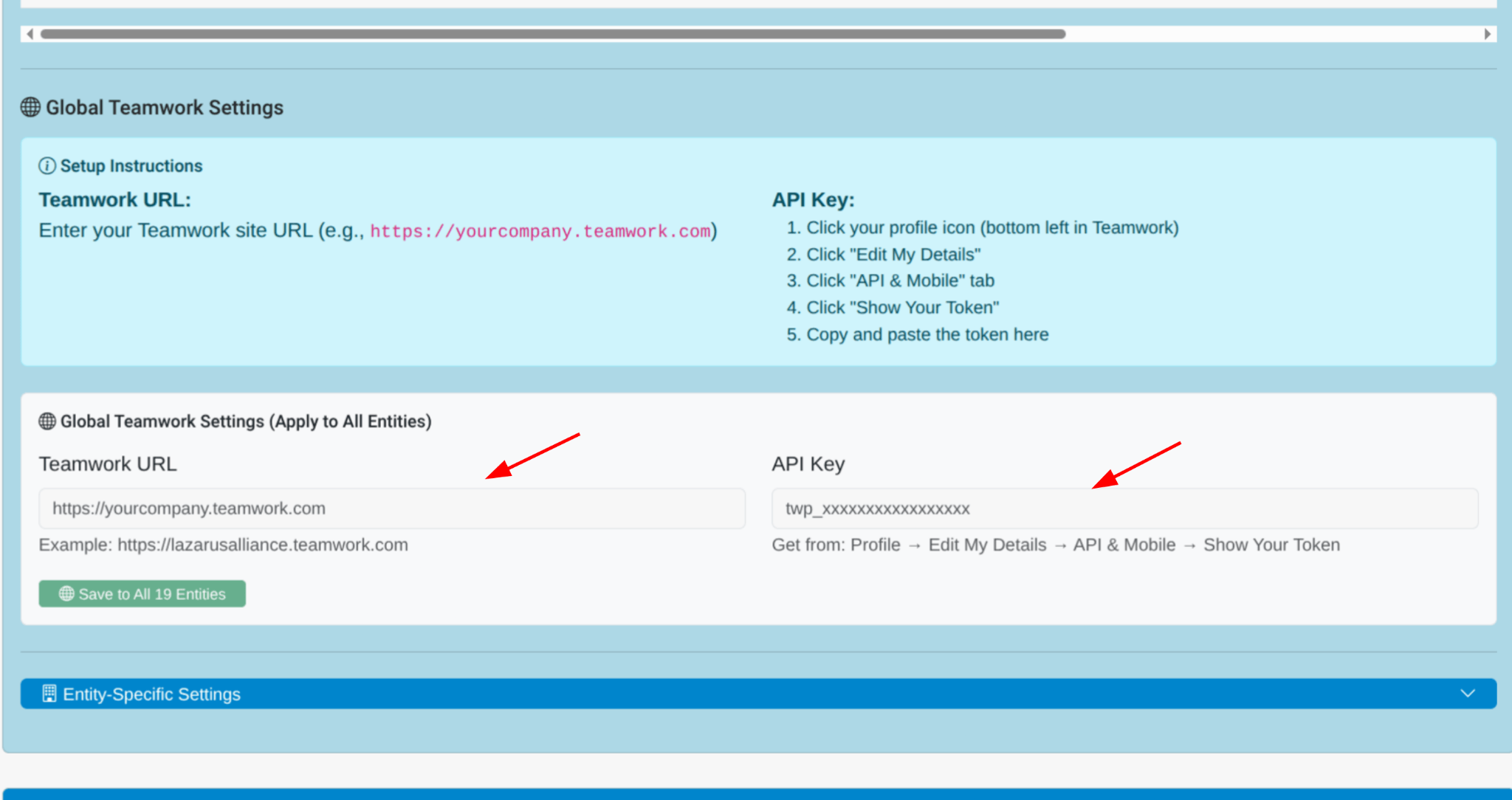
Note: Your Teamwork URL is the primary URL from your Teamwork instance when you log in, formatted “https://companyname.teamwork.com”.
Timer Sessions
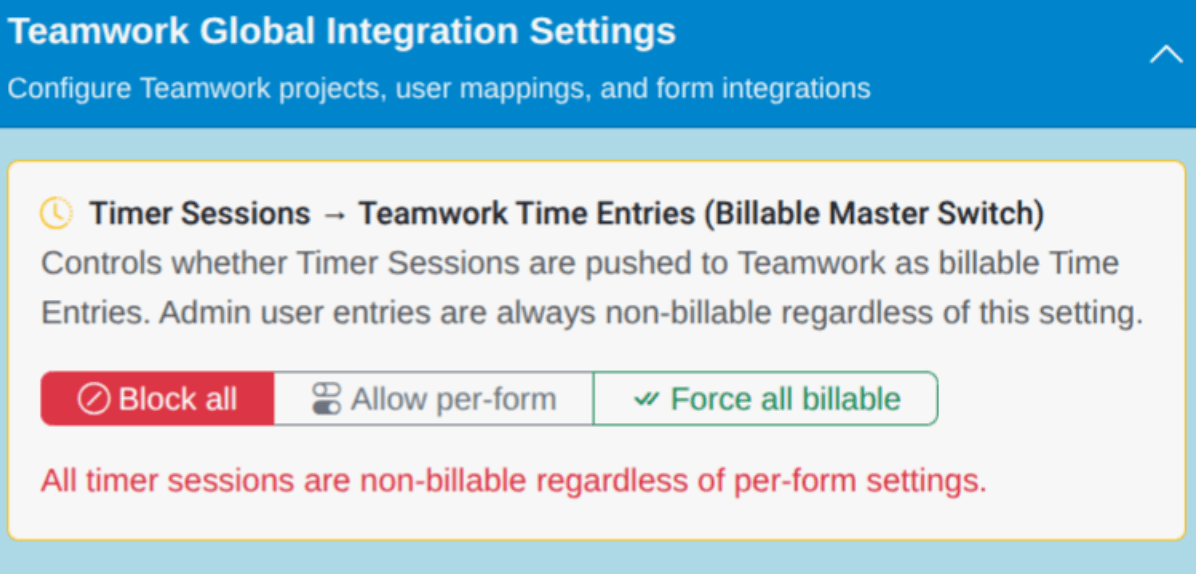
If you’re using Teamwork to track billable hours, set the Timer Sessions switch to either Allow per-form or Force all billable.
- Allow per-form provides more flexibility to track billable hours across specific forms
- Force all billable will pull billable hours from all forms
Note: Hours logged by Administrators are not marked as billable by default.
User Mappings
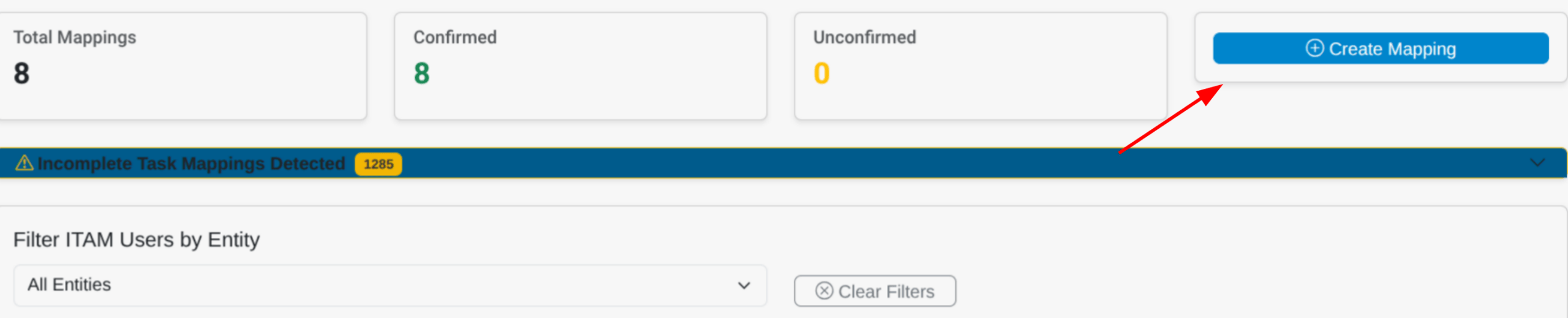
Administrators must map ITAM users onto Teamwork users. Click on the Teamwork User Mapping button and scroll down to the Create New User Mapping section. If your Teamwork is already integrated, you’ll be able to select both an ITAM User and a Teamwork User from their respective lists. Clicking the Create Mapping button will link those users in ITAM.
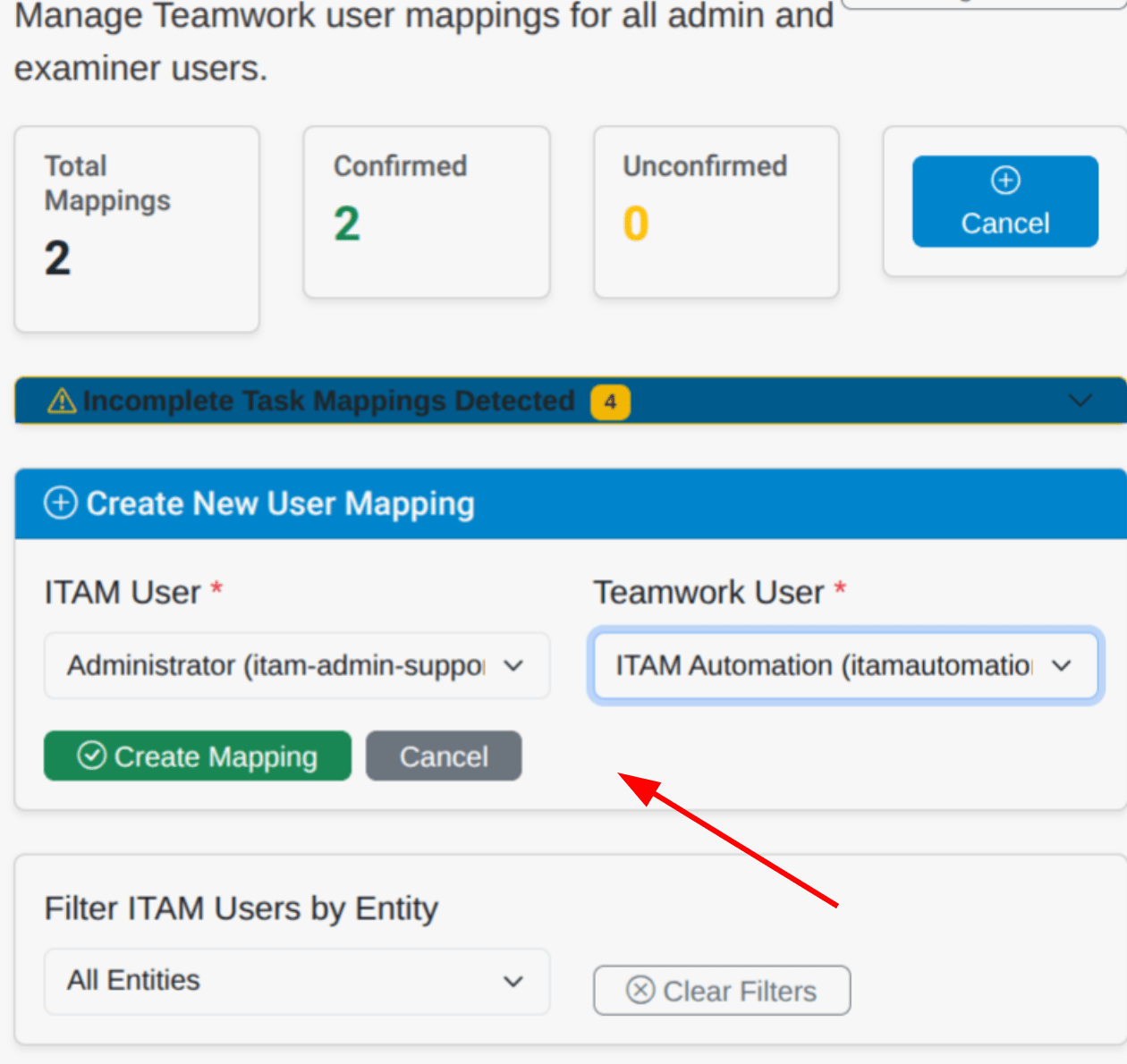
You can also review, edit, and delete mappings in the User Mappings Table.
Weekly Time Audit
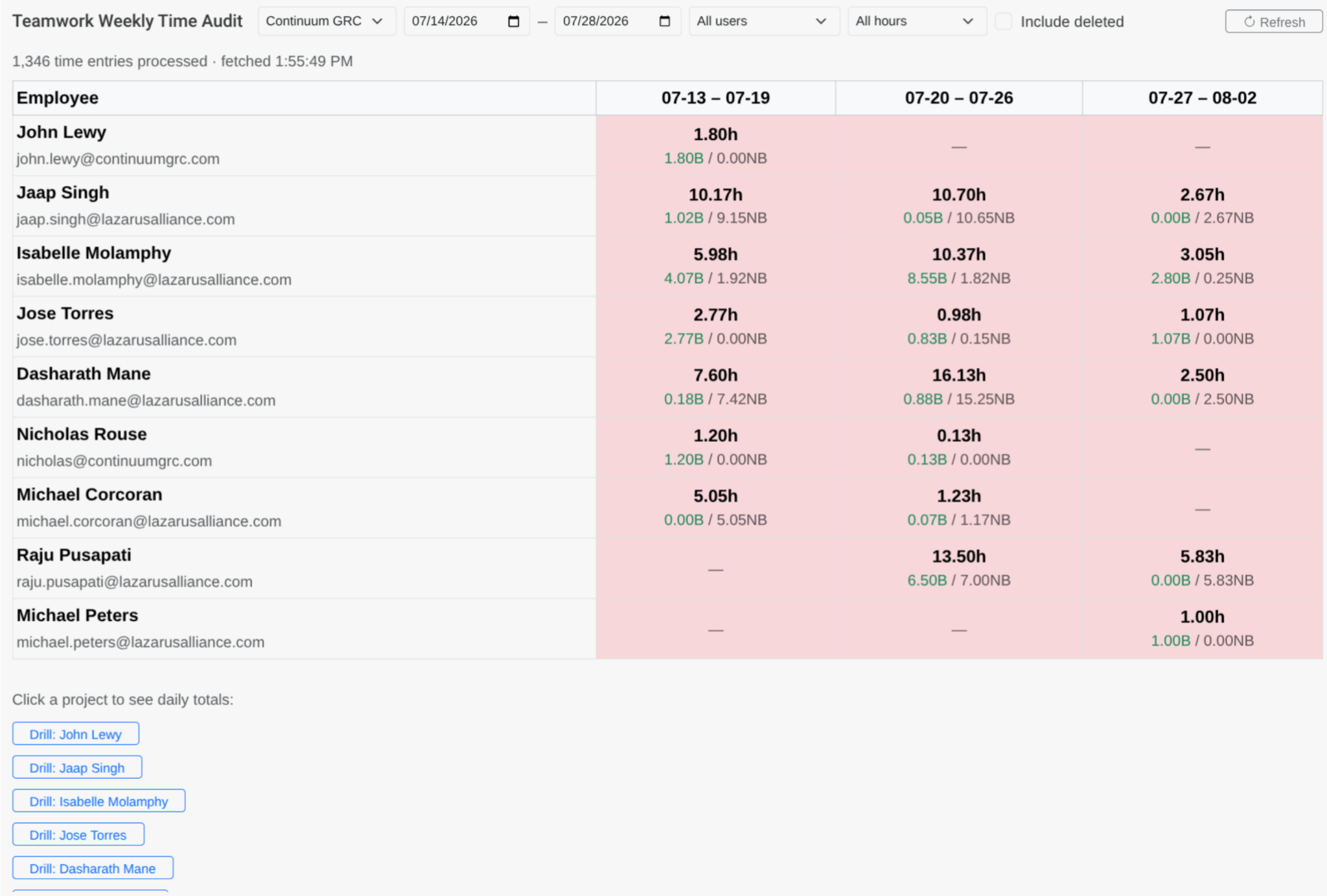
With Time Tracking enabled, you can track logged times over a variable working period, divided into 5-day work weeks. For any user with logged time, you can also drill down into their specific time logs.
Form Integrations
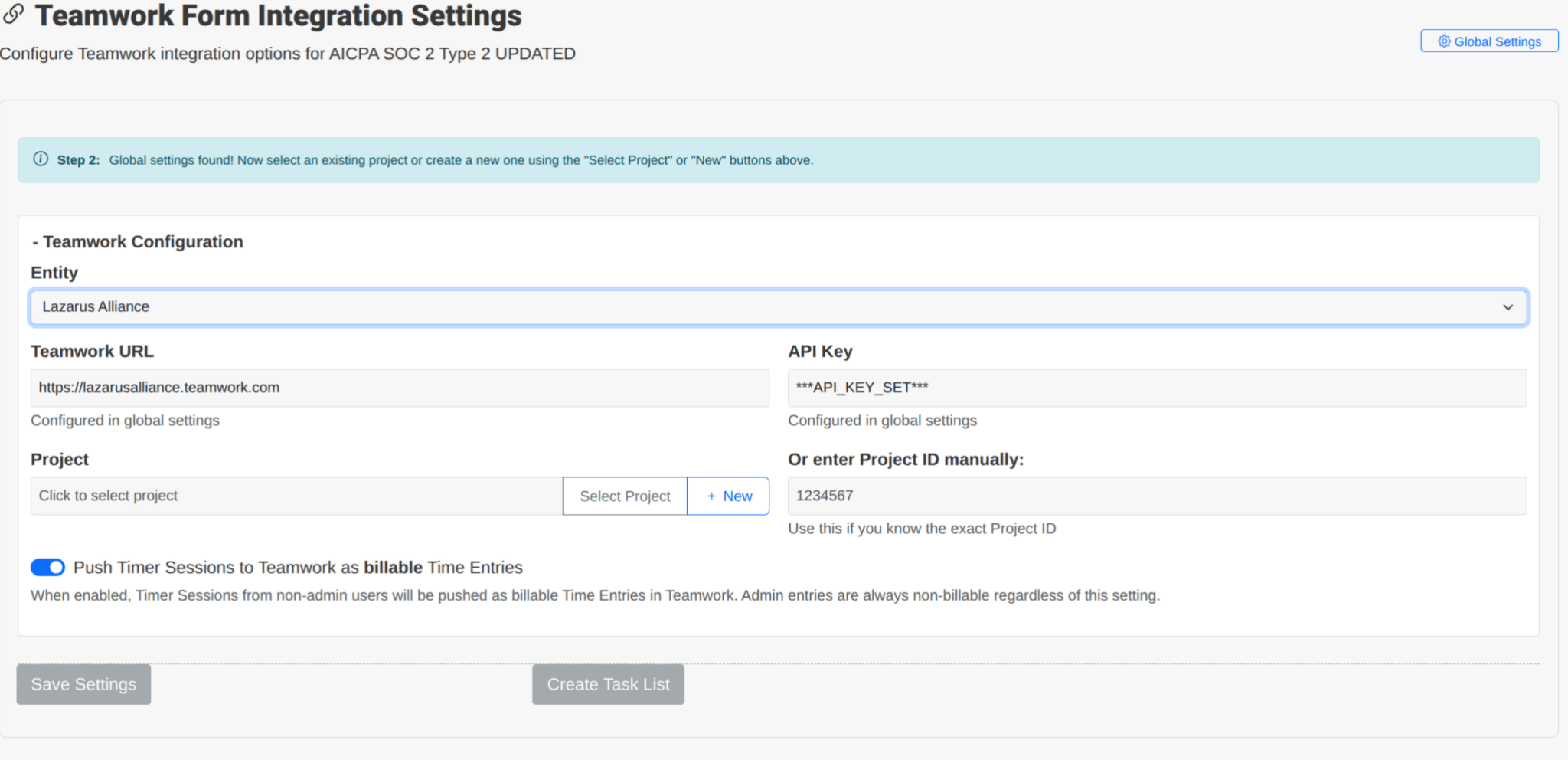
You can also directly integrate form data into Teamwork. Select the form from the dropdown menu, choose the required entity, and enter your Teamwork configuration as needed. You can select a Teamwork Project or enter the Project ID, toggle whether to push tracked time to this project as billable, and create task lists around the project.