Integrating ITAM with Dropbox
ITAM Administrators can integrate Dropbox into their ITAM instance to make sharing files and evidence easier across the team. Integration is on a per-entity basis and provides access to several features in Dropbox, like shareable links.
- First, select the Entity that you want to integrate with.
- Define a folder in Google Drive to store ITAM files.
- Finally, select whether or not you want to automatically create folders for each form and entry (recommended) and generate shareable links for those files.
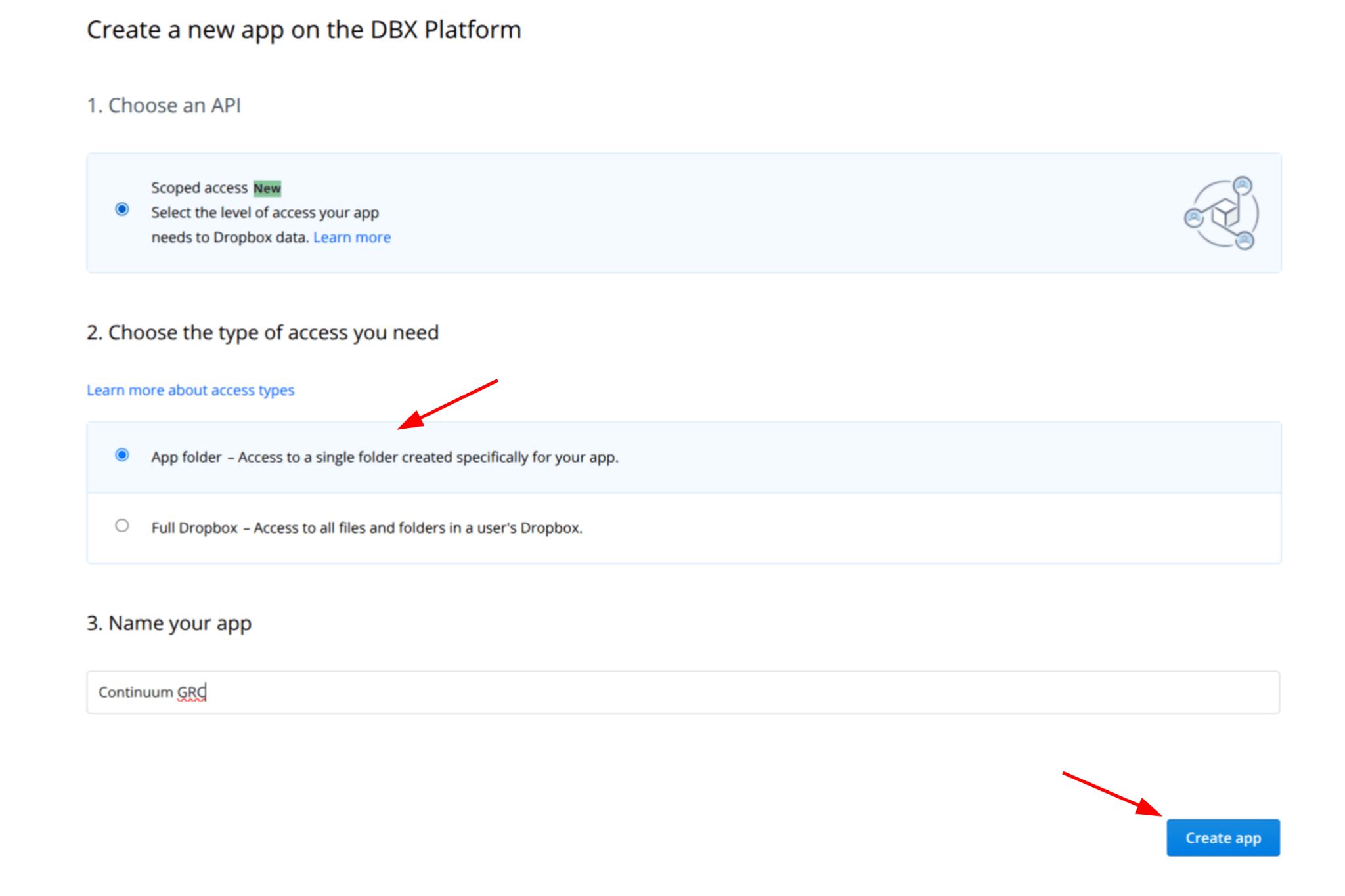
Next, navigate to Dropbox App Console and click Create App.

Choose Scoped access, then select App folder as the access type. Then, name the app and click Create App:
Copy the App key into the API key in ITAM:
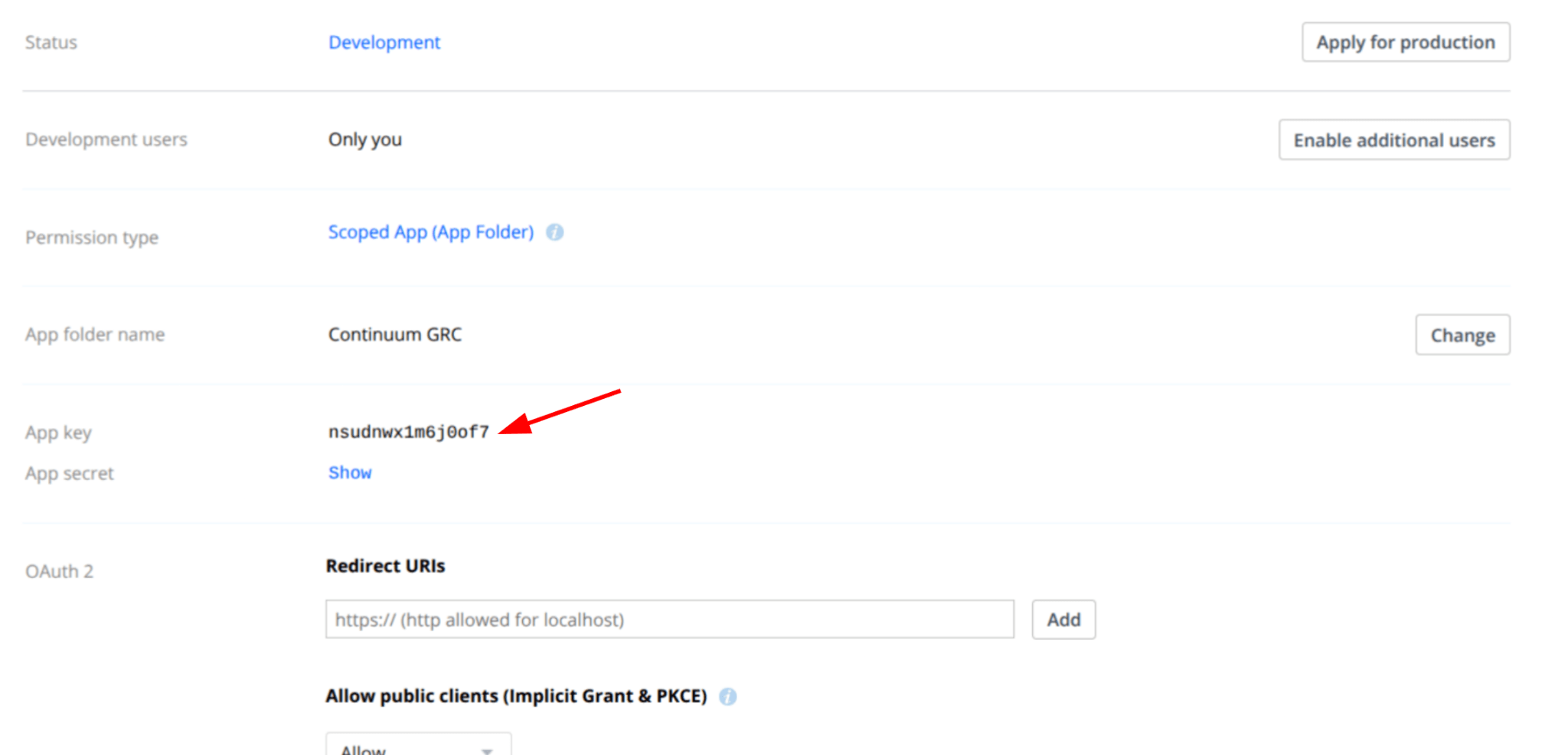
Then click Save Settings.
Setting Up Dropbox in ITAM
With Dropbox configured, navigate back to ITAM, go to Settings, and click Integrations. On the integrations page, click Dropbox Settings:
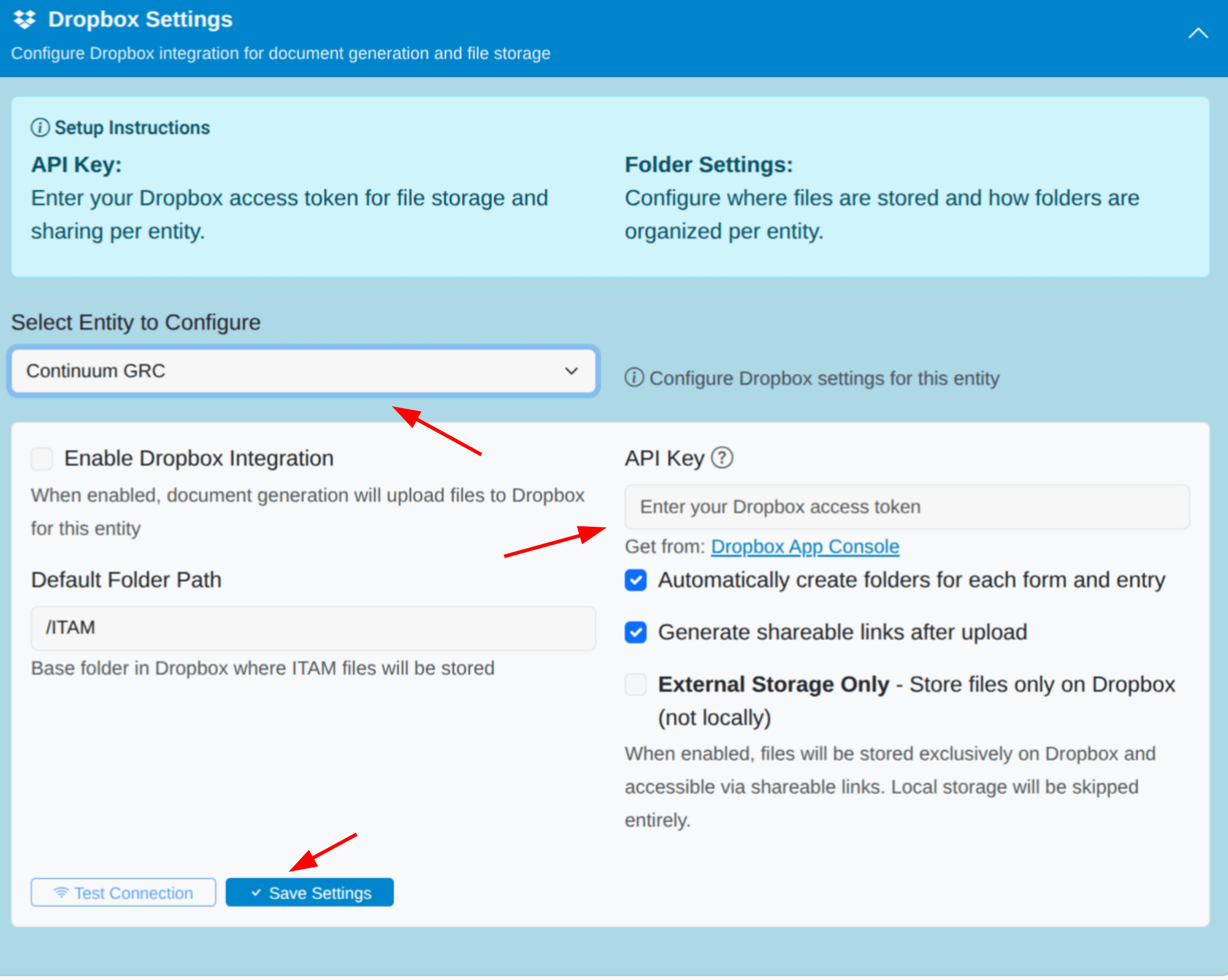
Select the entity to configure (you can only configure one entity at a time). Enter the API key copied from Dropbox in the marked box, then click Save Settings.