Tracking Time and Leaving Notes in ITAM
An important addition to ITAM is automated time-tracking features. Now, whenever an Examiner or Portal User navigates to or works on a page or form, automated time tracking clocks the time spent on the page.
When you navigate to a page and begin working, a small timer box appears in the menu bar.
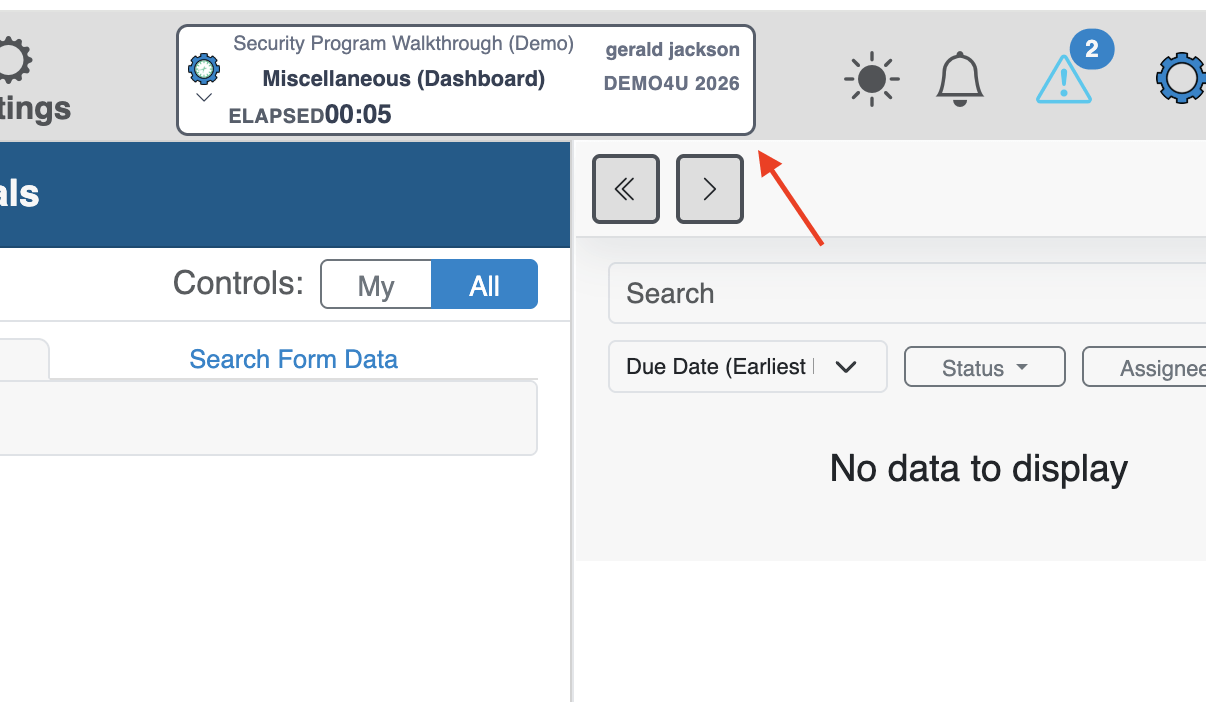
This box shows the location being timed, the elapsed time, your user name, and the entity you’re currently working in.
Whenever you navigate to a new page that involves doing any sort of documentation, reporting, or audit work, this box will appear. Then, when you click the box, a small dialog appears that lets you pin notes to a specific timestamp. Clicking Add note & time-box opens a pop-up dialog where you can enter a note about the session, plus several other options to attach context to the time.
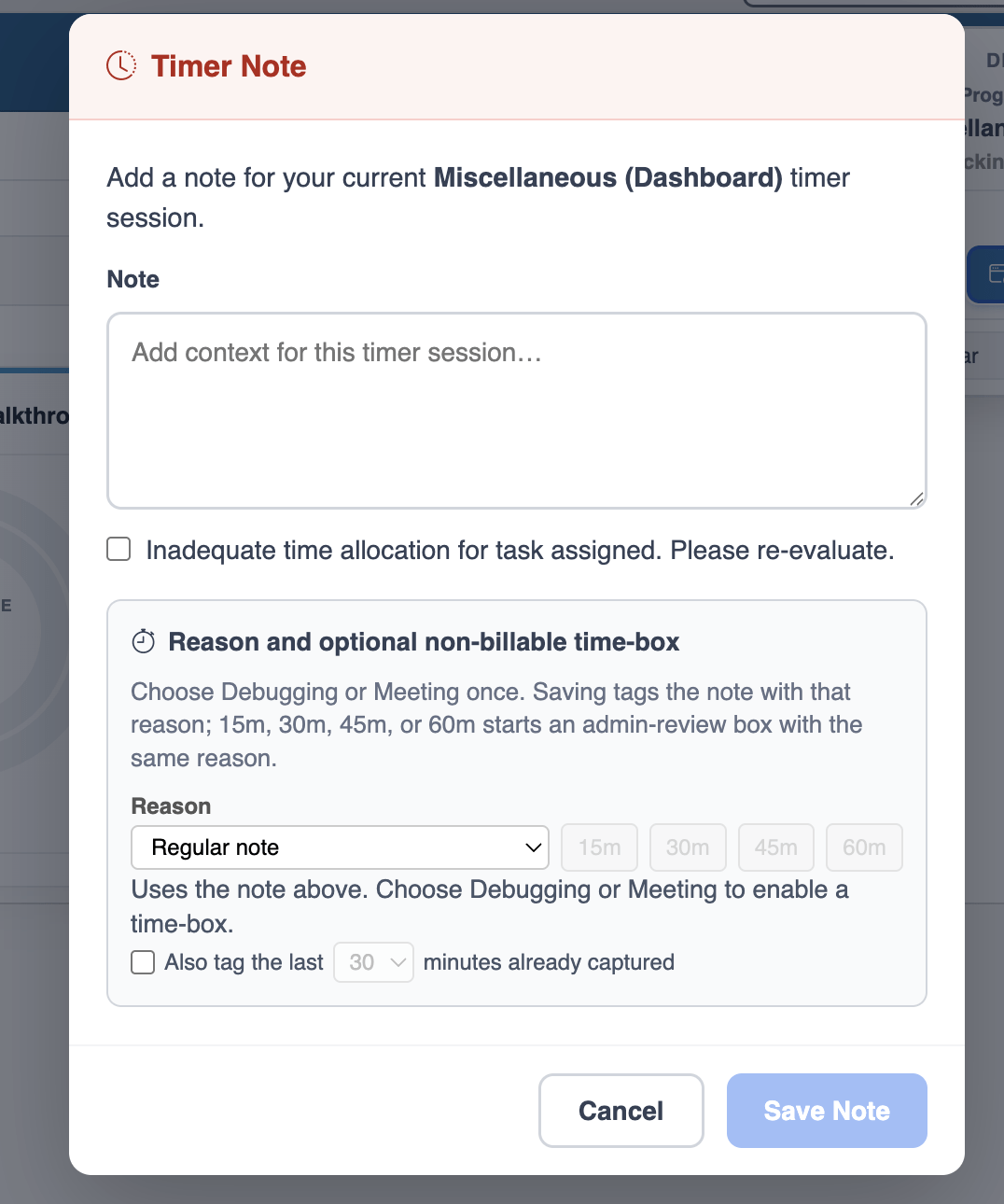
These include:
- A checkbox flagging that the time provided isn’t adequate for the tasks you are completing.
- A drop-down that lets you flag a time chunk as a particular task like a meeting or debugging task.